










Receipt Template On Canva Editable Overview
Let's face it, getting paid as a photographer can be a real hassle, which is why having a printable photography invoice template doc is essential for any freelancer looking to get their finances in order. Honestly, who has the time to create invoices from scratch when you're already juggling shoots, editing, and client communication?
The truth is, a well-crafted invoice can make all the difference in how quickly you get paid - and here's the thing, it's not just about slapping some numbers on a piece of paper, it's about presenting yourself professionally and making sure you're covering all your bases. Look, we've all been there, waiting on a client to pay up, and it's frustrating, to say the least.
Real talk, having a solid invoice template can save you a ton of stress and headaches down the line, and that's what we're going to dive into next - so keep reading to find out how you can take control of your finances and get paid faster.
So, what are you waiting for, let's get started on making your photography business more efficient, one invoice at a time - and, somewhat unrelated, I just realized I need to pick up some new camera batteries, anyway, back to invoices...
The Hidden Pitfalls of DIY Photography Invoicing
Most photographers start with a simple goal: capture stunning images. But the business side? That’s where things get messy. Invoicing is often an afterthought, yet it’s the backbone of getting paid. Here’s the truth: a poorly structured invoice can delay payments, confuse clients, or worse, make you look unprofessional. And while a printable photography invoice template doc seems like a quick fix, it’s not always the silver bullet it’s made out to be. Many templates lack critical details, like payment terms or late fees, leaving you vulnerable to misunderstandings. *Here’s what nobody tells you:* clients often judge your business by the clarity of your invoices. A cluttered or incomplete document can raise doubts about your reliability, even if your photos are flawless.
Common Mistakes in Photography Invoices
One of the biggest errors? Omitting essential details like itemized services or payment deadlines. Another is using jargon that confuses clients. For instance, instead of “post-processing,” simply write “photo editing.” A printable photography invoice template doc might not account for these nuances, especially if it’s a generic freebie. Pro tip: Always include a brief description of each service, even if it seems obvious to you. Clients appreciate transparency, and it reduces back-and-forth questions.
Why Generic Templates Fall Short
Generic templates often lack customization options, leaving you stuck with a one-size-fits-all approach. For example, they might not have fields for retainer fees or travel expenses, which are common in photography. Worse, some templates don’t allow for branding, so you miss out on reinforcing your identity. A printable photography invoice template doc can work in a pinch, but it’s rarely tailored to your unique workflow. If you’re invoicing for a wedding package, a template designed for portrait sessions won’t cut it. The result? You end up spending more time tweaking the template than actually using it.
How to Choose the Right Invoice Template for Your Photography Business
Not all templates are created equal. The key is to find one that aligns with your business needs. Look for features like customizable fields, branding options, and clear payment terms. For instance, a template with a dedicated section for “additional expenses” can save you from awkward conversations later. *Actionable tip:* Test the template with a mock invoice before committing. Send it to a friend or colleague and ask for feedback. Does it look professional? Is it easy to understand? If not, keep searching.
Features to Look for in a Photography Invoice Template
- Itemized service breakdown – Ensures clients know exactly what they’re paying for.
- Payment terms and due dates – Reduces confusion and late payments.
- Branding options – Keeps your invoice consistent with your business identity.
When to Upgrade from a Basic Template
If you’re handling multiple clients or complex projects, a basic template won’t suffice. Consider investing in invoicing software that offers advanced features like automated reminders or expense tracking. While a printable photography invoice template doc is fine for beginners, scaling your business requires a more robust solution. *Here’s the reality:* the time you save with a professional tool often pays for itself in avoided headaches and faster payments.
Your Next Step Starts Here
In the grand scheme of your photography business, every detail counts. From capturing the perfect shot to delivering an exceptional client experience, it’s the little things that set you apart. A professional, polished printable photography invoice template doc isn’t just a formality—it’s a reflection of your brand and your commitment to excellence. It’s the final touch that leaves clients impressed and ensures you’re taken seriously in a competitive field. Think about it: when your invoicing process is seamless, you free up time to focus on what truly matters—your art and your clients.
Now, you might be thinking, “Isn’t this just another task to add to my to-do list?” Not at all. The beauty of a well-designed printable photography invoice template doc is its simplicity. It’s a tool that works for you, not the other way around. With a customizable template, you’re not starting from scratch—you’re building on a foundation that’s already been perfected. It’s about making your life easier, not harder.
So, take a moment to bookmark this page or share it with a fellow photographer who could use a helping hand. Better yet, dive into the gallery of templates and find the one that speaks to your style. This isn’t just about invoices—it’s about elevating your entire business. Your next step is clear, and it’s closer than you think.
Related: Free Invoice Reconciliation Excel Template
Let's face it, dealing with financial discrepancies can be a nightmare, especially when it comes to invoice reconciliation excel - it's like trying to find a needle in a haystack, honestly. You're stuck sifting through endless spreadsheets, trying to make sense of it all.
The truth is, this process matters right now because it's likely affecting your business's bottom line, and here's the thing, every minute you spend on it is a minute you're not spending on growth or strategy. Look, real talk, who doesn't want to streamline their financial processes and reduce errors?
So, what if you could simplify this whole ordeal and actually start to enjoy the process of reconciliation? The possibility of having a clear, error-free financial record is tantalizing, to say the least.
And, oddly enough, I was just talking to a friend who mentioned how they used to hate doing their taxes, but then they found this one trick that made it almost enjoyable - I'm not saying that's exactly what we're going to cover here, but it got me thinking about how much of a difference the right approach can make.
The Hidden Pitfalls of Invoice Reconciliation in Excel
Let’s face it: Excel is the go-to tool for many businesses when it comes to invoice reconciliation. It’s familiar, flexible, and doesn’t require a steep learning curve. But here’s the thing—while Excel is powerful, it’s not perfect. In fact, relying solely on spreadsheets for invoice reconciliation can lead to some serious headaches. From manual errors to version control nightmares, the pitfalls are real. And yes, even the most meticulous users can fall into these traps.
Manual Data Entry: The Silent Time Thief
One of the biggest issues with using Excel for invoice reconciliation is the reliance on manual data entry. Typing in invoice numbers, amounts, and dates is not only time-consuming but also prone to errors. A single misplaced decimal or a typo can throw off your entire reconciliation process. Automation tools can handle this more efficiently, but Excel often requires you to do the heavy lifting yourself. Here’s a tip: if you’re stuck with Excel, consider using formulas like VLOOKUP or pivot tables to minimize manual work. It’s not a perfect solution, but it’s better than copying and pasting endlessly.
Version Control Chaos
Another common issue is version control. How many times have you emailed a spreadsheet only to realize someone else was working on a different version? This is especially problematic in invoice reconciliation, where accuracy is critical. Excel files can easily become outdated or overwritten, leading to discrepancies that are hard to track. Here’s what nobody tells you: even cloud-based Excel files can cause confusion if multiple people are editing them simultaneously. A centralized system or a dedicated reconciliation tool can mitigate this, but Excel often falls short in this area.
Limited Scalability
As your business grows, so does the complexity of your invoice reconciliation process. Excel can handle small volumes of data, but it struggles with larger datasets. Sorting, filtering, and analyzing hundreds or thousands of invoices becomes cumbersome. Scalability is a major concern, and Excel’s limitations can hinder your ability to manage finances efficiently. If you’re dealing with high volumes, it might be time to explore specialized software designed for invoice reconciliation.
When Excel Works (and When It Doesn’t)
Despite its flaws, Excel isn’t entirely useless for invoice reconciliation. For small businesses or those with minimal invoice volume, it can be a cost-effective solution. The key is knowing its limitations and using it strategically. For example, Excel can be great for creating custom reports or performing quick checks. However, for larger operations or those seeking precision and efficiency, it’s often not the best choice.
| Scenario | Excel Works Well | Excel Falls Short |
|---|---|---|
| Small Business | Yes | No |
| High Invoice Volume | No | Yes |
| Complex Reconciliation | No | Yes |
Actionable Tip: Streamline with Templates
If you’re determined to stick with Excel, create a standardized template for invoice reconciliation. Include columns for invoice numbers, dates, amounts, and status. Use conditional formatting to highlight discrepancies or overdue payments. This won’t solve all of Excel’s problems, but it can make the process more organized and less error-prone. Consistency is key, and a well-designed template can save you time and reduce frustration.
The Bottom Line
Excel has its place in invoice reconciliation, but it’s not a one-size-fits-all solution. While it can work for small-scale operations, larger businesses may find its limitations frustrating. Manual errors, version control issues, and scalability problems are just a few reasons to consider alternatives. If you’re using Excel, take steps to minimize its drawbacks—like creating templates or using formulas. But if you’re constantly running into issues, it might be time to explore tools specifically designed for invoice reconciliation.
Your Next Step Starts Here
Mastering invoice reconciliation excel isn’t just about crunching numbers—it’s about reclaiming control over your finances, your time, and your peace of mind. In the bigger picture, this skill is a cornerstone for anyone managing cash flow, whether you’re a freelancer, a small business owner, or part of a larger team. When your invoices are reconciled efficiently, you’re not just avoiding errors; you’re building trust with clients, streamlining operations, and setting the stage for growth. It’s the kind of quiet competence that turns chaos into clarity, and that’s invaluable in any role.
Now, you might be thinking, “But isn’t this just another tedious task?” Here’s the truth: yes, it requires attention to detail, but with the right tools and mindset, it becomes less of a chore and more of a habit that pays off. The beauty of invoice reconciliation excel is that it’s scalable—whether you’re handling five invoices or fifty, the process remains the same. And once you’ve got the hang of it, you’ll wonder how you ever managed without it.
So, here’s your invitation: bookmark this page for when you’re ready to dive deeper, or share it with someone who’s struggling with their own reconciliation process. Better yet, start small—open up that spreadsheet and take the first step today. The difference it makes might just surprise you.
Related: Where to Find a Free Printable Leaf Template for Crafts
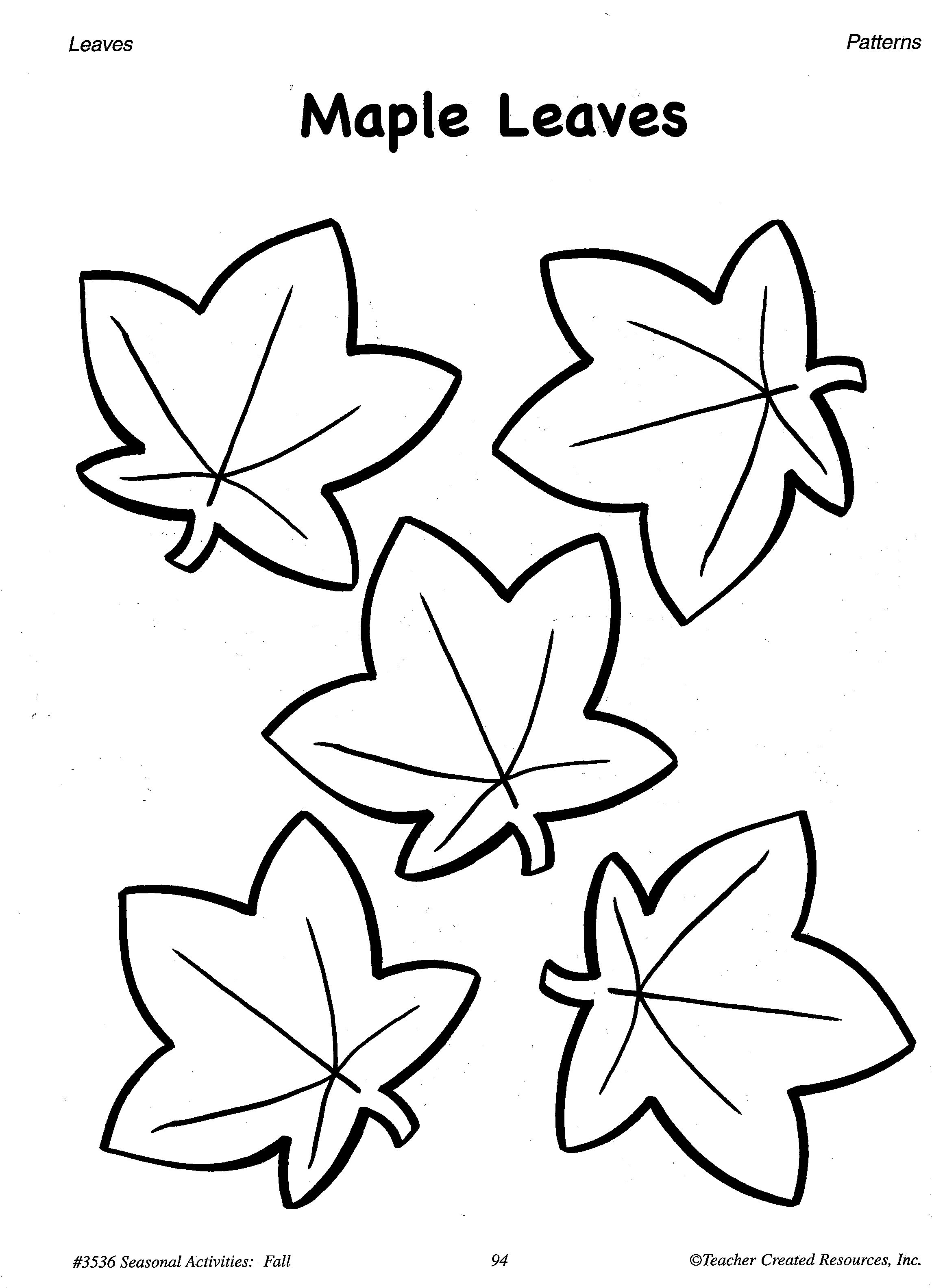
Transforming your home decor or classroom crafts has never been simpler than with our versatile free printable leaf template. Whether you are prepping for a seasonal bulletin board or hunting for the perfect stencil to elevate your DIY wall art, this resource provides the crisp, clean lines you need to achieve professional results every single time. Stop wasting hours sketching by hand and start creating with confidence.
Nature-inspired aesthetics are currently dominating the design world, making these botanical shapes more relevant than ever. From cozy autumn wreaths to minimalist nursery accents, integrating organic silhouettes adds an instant layer of warmth and sophistication to any project. Our template is designed to save you precious time while ensuring your creative vision comes to life exactly as you imagined, without the frustration of uneven edges or messy proportions.
This tool is an absolute game-changer for parents, teachers, and hobbyists looking to streamline their crafting process. By downloading this set, you gain access to a variety of leaf styles that cater to any artistic mood. Dive into your next project today, enjoy the meditative process of cutting and decorating, and watch as these simple paper shapes turn into stunning pieces of handmade art that impress everyone around you.
Why We Love This Versatile Leaf Template
Whether you are prepping for a seasonal classroom activity or looking for the perfect base for your next DIY home decor project, having a reliable leaf template on hand is a total game-changer. There is something incredibly soothing about tracing natural shapes, and our free printable version takes the guesswork out of your creative process. It is designed to be clean, simple, and ready for whatever medium you prefer—from construction paper to felt.
Perfect for Classroom Crafts
Teachers, this one is for you! These templates are ideal for autumn-themed bulletin boards or science projects focusing on leaf identification. Because the outlines are crisp, even little hands can manage the cutting process with confidence, helping to build those essential fine motor skills while having a blast.
Creative Ways to Use Your Printables
Beyond the classroom, these shapes are perfect for seasonal bunting, handmade greeting cards, or even personalized wall art. Pro Tip: Print these on heavy cardstock if you plan to use them as stencils for painting or spray-art projects. This extra thickness ensures your lines stay sharp and the template doesn't curl when it meets moisture.
Taking Your Leaf Projects to the Next Level
Add Texture for Realism
If you want your projects to pop, don’t settle for flat paper. Once you have cut out your leaves, use a metallic marker to draw intricate vein patterns or lightly sponge-paint the edges with darker hues. Adding that bit of dimension transforms a simple craft into a professional-looking piece of decor that looks like it came straight from a boutique shop.
Bring Your Creative Vision to Life
There is something truly grounding about working with natural motifs, and I hope this free printable leaf template serves as the perfect spark for your next project. Whether you are crafting delicate paper garlands, designing a nature-inspired classroom display, or simply looking for a mindful afternoon activity, these shapes provide the versatility you need to express your unique artistic style.
Don't let these pages sit idle on your screen. Grab your scissors, pick out your favorite textured cardstock or vibrant construction paper, and let your imagination run wild. Using this free printable leaf template is all about embracing the process and finding joy in the small, handmade details that make a space feel truly like home. I would love to see how you decide to style your cutouts, so please take a moment to share your creations in the comments below or tag me in your photos. If you found this resource helpful, feel free to pass the link along to a fellow crafter who might appreciate a little creative inspiration today!


