


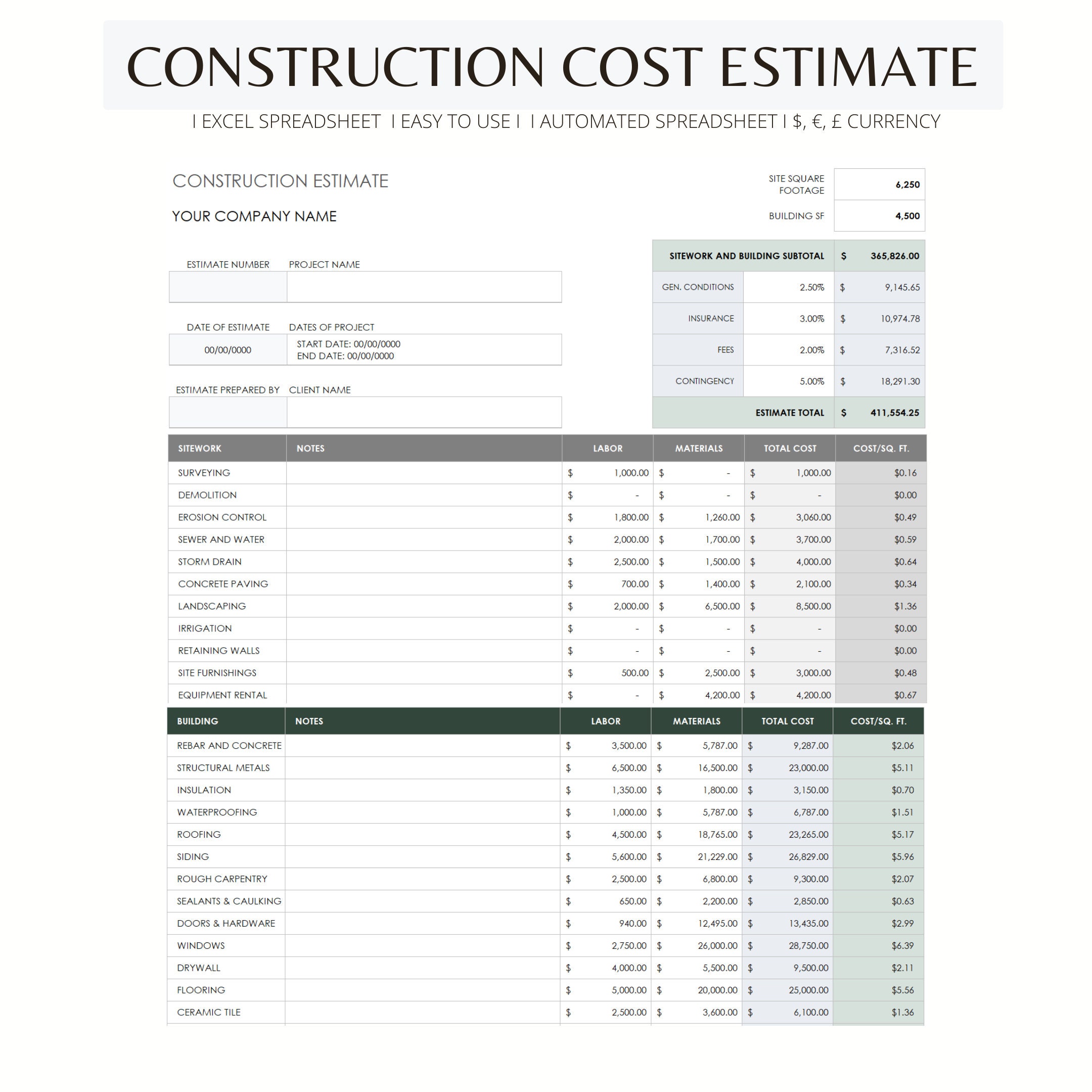

Estimate Letter Template Editable Overview
Let's face it, getting a quote for a project can be a daunting task, especially when you're not sure where to start, and that's where a quotation request template word comes in handy. Honestly, it's a lifesaver for those who want to get it right the first time.
The truth is, having a well-structured quotation request can make all the difference in getting the best possible price and service from your vendor, and here's the thing, it's not just about filling out a form, it's about asking the right questions. Look, we've all been there, trying to navigate the complex world of quotations, and it can be overwhelming.
Real talk, what you need is a clear and concise way to get the information you need, without wasting time or effort, and that's what we're going to explore.
So, what's the next step, you ask, well, let's just say it involves taking the guesswork out of the equation, and finding a solution that works for you, and that's where things get interesting.
The Hidden Pitfalls of Using a Quotation Request Template in Word
Let’s face it: a quotation request template in Word seems like the easiest solution when you’re in a rush. It’s familiar, it’s free, and it gets the job done—or so you think. Here’s what nobody tells you: while it might save you time upfront, it often leads to headaches down the line. From formatting inconsistencies to missing critical details, Word templates can be deceptively simple. For instance, have you ever sent a quote only to realize the client’s name was misspelled because you forgot to update a placeholder? *Yep, we’ve all been there.*
The Formatting Trap
One of the biggest issues with using Word for quotation requests is the lack of standardization. Unlike specialized tools, Word doesn’t enforce a structure, meaning every team member might tweak the template differently. This leads to **inconsistent branding**, which can make your business look unprofessional. Imagine sending a quote with one font to a client and another font to a different one—it’s a small detail, but it matters.
Missing Critical Fields
Another common pitfall is overlooking essential fields. A generic Word template might not include sections for payment terms, delivery timelines, or revision policies. These omissions can lead to misunderstandings or even legal disputes. For example, if you forget to specify that revisions are limited to two rounds, you might find yourself stuck in an endless loop of client requests.
Version Control Chaos
Here’s a real-world scenario: you update the template with new pricing, but your colleague sends an outdated version to a client. Sound familiar? Word templates are notorious for version control issues, especially when multiple people have access to the file. This not only causes confusion but can also damage your credibility.
How to Fix Your Quotation Request Template in Word (Without Starting Over)
If you’re not ready to ditch Word entirely, there are ways to make your quotation request template work smarter, not harder. The key is to treat it less like a blank canvas and more like a structured form.
Standardize Your Layout
Start by locking down the design. Use styles for headings, body text, and lists to ensure consistency. Pro tip: save your template as a .dotx file so it opens as a new document every time, preventing accidental edits to the original.
Add Mandatory Fields
Incorporate placeholders for every piece of information you need. Use content controls in Word to create fillable fields for client details, project scope, and terms. This reduces the risk of missing critical data and makes the template user-friendly.
Implement a Review Process
Before sending any quote, establish a checklist to ensure all fields are completed and accurate. Better yet, designate one person to review all outgoing quotes. This simple step can catch errors before they reach the client.
| Feature | Word Template | Specialized Tool |
|---|---|---|
| Consistency | Low | High |
| Customization | Moderate | High |
| Error Prevention | Low | High |
While a quotation request template in Word has its limitations, it’s not irredeemable. With a few tweaks, you can minimize its flaws and make it a reliable tool for your business. Just remember: the goal isn’t perfection—it’s clarity and consistency for both you and your clients.
Here's What Makes the Difference
As you move forward with your projects, remember that the details are what set successful endeavors apart from those that falter. In the grand scheme, having the right tools, like a well-crafted quotation request template word, can be the pivot point between securing a deal and losing an opportunity. It's about creating a seamless experience for your clients and partners, showing them that you're not just professional, but also considerate of their time and needs.
Sometimes, a small voice might whisper, "Is it really worth the effort to customize something like a quotation template?" What if it's the one thing that makes your proposal stand out in a crowded field? The truth is, it's these small touches that often make the biggest difference. Don't let the simplicity of a task fool you into underestimating its potential impact.
Now, take a moment to think about how you can apply what you've learned to enhance your current projects. Feel free to browse through our resources for more insights, or share this with someone who might benefit from streamlining their workflow with a quotation request template word. The goal is to make your work easier, not harder, so take that next step with confidence.
Related: Free Contractor Estimate & Invoice Software (No Hidden Fees)
Let's face it, managing your contracting business without the right tools is a recipe for disaster, which is why contractor estimate and invoice software is a must-have for any serious contractor. Honestly, I've seen businesses sink because they couldn't keep track of their finances and client communications.
The truth is, you're probably already feeling the strain of manual invoicing and estimating, and it's eating into your profits. Look – it's not just about saving time, it's about getting paid on time and building a reputation for reliability.
Here's the thing, honestly, most contractors are winging it when it comes to estimates and invoices, and it shows. Real talk, it's time to get serious about your business and start using the right tools to streamline your workflow.
So, what's the solution? Well, that's what we're about to dive into – and trust me, it's going to be a total game-changer for your business, or at least that's what I keep telling myself, but the truth is, it's just common sense.
The Part of Contractor Estimate and Invoice Software Most People Get Wrong
When it comes to managing a contracting business, accuracy and efficiency are key. One area where many contractors struggle is with estimating and invoicing. Getting the numbers right is crucial, as it directly impacts the bottom line. However, many contractors are still using manual methods, such as spreadsheets or paper invoices, which can lead to errors and wasted time. Here's what nobody tells you: the right software can make all the difference. By streamlining the estimating and invoicing process, contractors can free up more time to focus on the work they love.
Understanding the Estimating Process
A good estimating process is the foundation of a successful contracting business. It's not just about throwing some numbers together and hoping for the best. A detailed estimate should include all the necessary materials, labor, and equipment, as well as any potential risks or uncertainties. This is where contractor estimate and invoice software can really shine, by providing a structured approach to estimating and helping contractors to avoid common pitfalls.
Streamlining Invoicing and Payment
Once the estimate is approved, it's time to send out an invoice. This is often the part of the process where contractors get stuck, as they wait for payment from clients. Automating invoicing and payment can help to speed up this process, by sending out reminders and notifications to clients. This can help to reduce the likelihood of late or missed payments, and ensure that contractors get paid on time.
Choosing the Right Software for Your Business
Key Features to Consider
When choosing a software solution, there are several key features to consider. These include the ability to create detailed estimates, automate invoicing and payment, and track expenses and profits. The following table summarizes some of the key features to look for:
| Feature | Description |
|---|---|
| Estimating | Create detailed estimates, including materials, labor, and equipment |
| Invoicing | Automate invoicing and payment, with reminders and notifications |
| Expenses | Track expenses and profits, with real-time reporting and analytics |
Here's What Makes the Difference
As you step back and look at the bigger picture, it's clear that streamlining your workflow is crucial to achieving your goals. Whether you're a seasoned contractor or just starting out, having the right tools can make all the difference in your success. In today's fast-paced world, being able to efficiently manage your estimates and invoices is vital to staying ahead of the competition.
You might be thinking, but what if I'm not tech-savvy enough to use new software? Don't worry, using contractor estimate and invoice software is designed to be user-friendly, even for those who are not familiar with technology. It's meant to simplify your workflow, not complicate it, so you can focus on what matters most - growing your business.
Now that you've learned more about how to improve your workflow, take a moment to browse and explore the different options available for contractor estimate and invoice software. You might even want to bookmark this page or share it with a colleague who could benefit from it. The key is to find a solution that fits your unique needs and helps you achieve your goals, and with the right tools, you'll be well on your way to success.
Related: Free Printable Preschool Worksheets That Actually Teach Letters
You've spent the last twenty minutes wrestling with a toddler who thinks crayons are for walls, not paper, and now you're staring at a screen hoping someone—anyone—has a solution that doesn't involve more screen time. Printable worksheets preschool resources are your lifeline, but not for the reason you think. It's not about keeping them busy; it's about giving them something that actually clicks.
Look—every parent and teacher I know is drowning in conflicting advice. Do more sensory play! Less structure! More worksheets! The truth is, your three-year-old doesn't care about trends. They care about the moment they finally trace a letter without smudging it, or match a shape and shout "I did it!" with their whole chest. That feeling? That's what builds confidence. And right now, with attention spans shorter than ever and endless distractions buzzing, the right printable worksheet can be the quiet win your day needs. Honestly, sometimes it's the only win.
But here's the kicker—most free worksheets out there are garbage. Boring clip art, confusing instructions, too hard or too babyish. I've seen it all. Keep reading, and I'll show you exactly what to look for: the specific types of activities that actually hold a preschooler's focus, the ones that sneak in learning without them noticing, and the one mistake almost everyone makes that turns a fun sheet into a meltdown trigger. You'll walk away knowing how to pick the good stuff—and maybe even get your kid to sit still for ten whole minutes. No promises on the sitting still part, but I'm betting on you.
If you've spent any time looking for activities to keep a three- or four-year-old busy, you know the struggle is real. The internet is flooded with options, but most of them miss the mark entirely. They're either too complex, requiring constant adult intervention, or so mind-numbingly simple that a child finishes them in thirty seconds flat. Here's what nobody tells you: the sweet spot for early learning materials sits right in the middle — activities that challenge a child just enough to hold their attention without pushing them into frustration. That's where thoughtfully designed printable worksheets preschool resources actually earn their keep. They aren't about busy work. They're about building tiny, crucial neural connections through repetition that doesn't feel like repetition.
Why Most Preschool Printables Fail (And How to Spot the Good Ones)
Let's be blunt. Many free worksheets you find online are designed by graphic designers who have never sat in a room with a wiggly four-year-old. They look pretty but lack any real pedagogical backbone. A good early childhood activity needs to respect the child's limited fine motor control. A tracing line that's too thin? Useless. A maze with dead ends that are too narrow? Tears, guaranteed. And yes, that actually matters more than the cute clipart of the smiling sun. The best materials focus on one skill at a time — scissor practice, letter recognition, or counting to five — without cramming in distractions. Look for worksheets that use large, clear images and thick, forgiving lines. A well-constructed tracing sheet for the letter "A" should have a clear starting dot and an arrow, not just a dotted outline that assumes a toddler knows where to begin.
The Hidden Power of Pattern Recognition in Early Learning
Most parents overlook pattern recognition, but it's the bedrock of early math and reading. A simple cut-and-paste activity where a child matches a striped sock to a striped shirt does more for cognitive development than a dozen flashcard sessions. Repetition across varied contexts is what cements learning, not drilling the same thing until boredom sets in. I've seen children who struggled with counting to three suddenly "get it" when they had to glue three cotton balls onto a sheep picture. The tactile element matters. The context matters. The worksheet is just the vehicle for that connection.
What to Look For: A Quick Reference on Worksheet Quality
| Feature | Poor Worksheet | Effective Worksheet |
|---|---|---|
| Line thickness | Thin, faint gray lines | Bold, dark lines (at least 2mm wide) |
| Visual clutter | 5+ different icons or characters | 1-2 clear, large images |
| Instruction clarity | Text-only instructions | Visual example + simple 3-word cue |
| Skill focus | Mixed: letters, numbers, colors | Single skill per page |
| Durability for use | No space for name or date | Includes a name line and margin |
The One Specific Tip That Changes Everything
Here's a tactic that works every time and costs nothing: print worksheets on cardstock and slip them into a reusable dry-erase sleeve. This single change eliminates the "I messed up" meltdown. A child can trace the same letter "B" ten times, wipe it clean, and do it again. That repeated practice, without the pressure of permanence, builds confidence far faster than a stack of consumable sheets. I've watched reluctant learners become eager participants simply because they knew they could erase and try again. It turns a disposable piece of paper into a tool for mastery. And when you pair that with a set of quality printable worksheets preschool that actually respect a child's developmental stage, you're not just keeping them busy — you're building a foundation that sticks.
One Last Thing Before You Go
When you strip away all the noise of daily routines and endless to-do lists, what you’re really building with this approach is a foundation of confidence—for your child, and for yourself. Every moment you invest in intentional, hands-on learning isn’t just about letters or numbers; it’s about showing a little person that they are capable, curious, and worthy of your focused attention. That feeling of accomplishment when they complete a task on their own? It echoes far beyond the kitchen table and into how they see themselves in the world. Isn’t that the kind of quiet magic we’re all really after?
Maybe you’re still wondering if you have the time, or if your child will even sit still long enough to make it work. Let that doubt go. You don’t need a perfectly quiet house or a child who loves worksheets from the start. What you need is a single, well-chosen page and five minutes of your genuine presence. The resistance you fear often melts away when the activity feels like a game, not a lesson. Start small, stay consistent, and trust that the spark will catch.
So here’s your next step: take a breath, and then take action. Browse through the gallery of printable worksheets preschool resources you’ve seen here, and pick just one that makes you smile. Bookmark this page for those afternoons when you need a quick win. Or better yet, send this to a fellow parent who’s also navigating this beautiful, messy stage—they’ll thank you for it. The printable worksheets preschool you choose today aren’t just paper; they’re tiny invitations to connect, learn, and grow together. Go ahead—pick one and see what happens.


